Exciting new formatting tools for Notepad - Banks Technology Services
When was the last time you opened Notepad and thought, “I wish I could make this text bold or add a heading”?
Probably never, right?
But Microsoft is quietly giving Notepad a little upgrade that could make a surprising difference. Especially for those of us who use it to jot down quick notes, meeting minutes, or even team checklists.
Notepad has always been the simplest of simple tools. It opens instantly, saves fast, and doesn’t get in your way. That’s exactly why so many people love it.
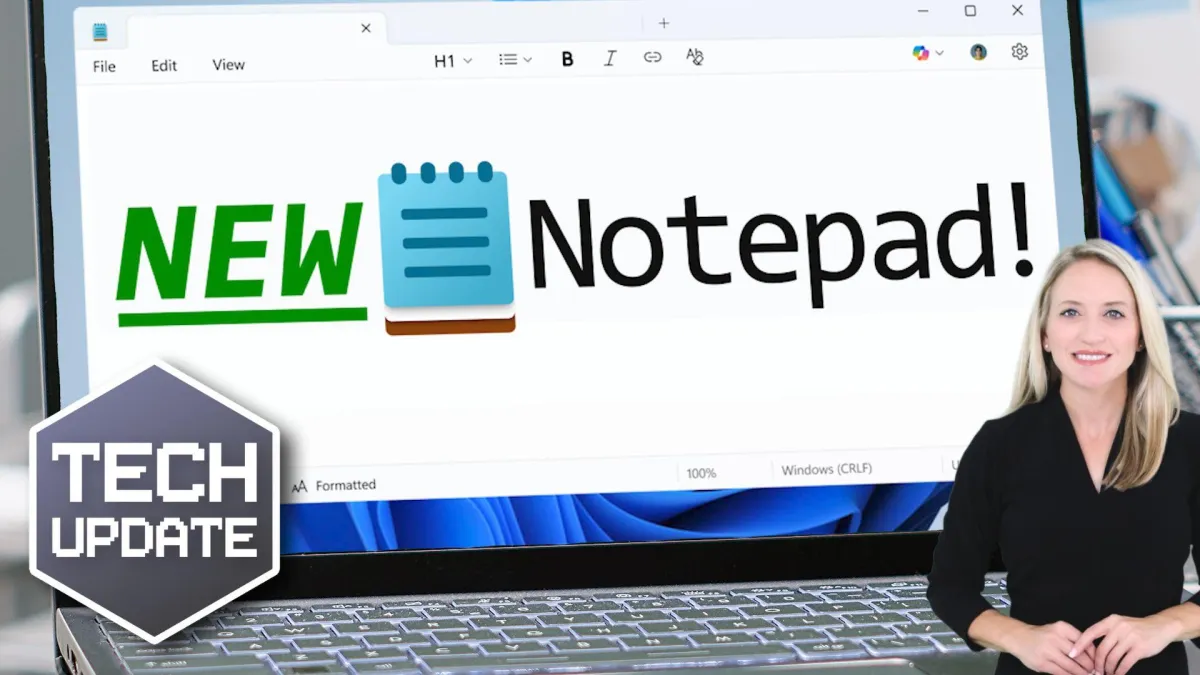
Now, Microsoft is testing a light touch of formatting features. Things like bold and italic text, hyperlinks, headings, and even basic bullet points.
The idea is to give us just enough control to make our notes clearer, without turning Notepad into a full-blown word processor.
The formatting is based on something called markdown. That’s a widely used, no-fuss way to add structure to plain text using simple symbols. For example, putting a couple of asterisks around a word makes it bold.
It’s neat, clean, and doesn’t add any of the heaviness you’d associate with Word or other big editing tools. And if formatting isn’t your thing? No problem. It can be turned off completely.
Some people worry that adding features like this risks bloating the app and making it slower. But in this case, the changes are minimal and optional. It’s more like giving your notebook a nicer pen. Not turning it into a printing press.
And with WordPad now officially retired, there’s definitely a gap for a tool that sits somewhere between “plain text” and “full document.”
For businesses, especially smaller ones without complex systems for documentation, this could be a handy middle ground. Being able to better structure your notes can save time and make your messages clearer.
It’s not flashy, but it’s thoughtful.
And it’s another small sign that Microsoft is modernizing even the most basic tools in Windows 11 without losing what made them useful in the first place.
Keep an eye out for the update if you’re using Windows 11. And maybe give those bold headings a try next time you’re scribbling a to-do list.